









Training
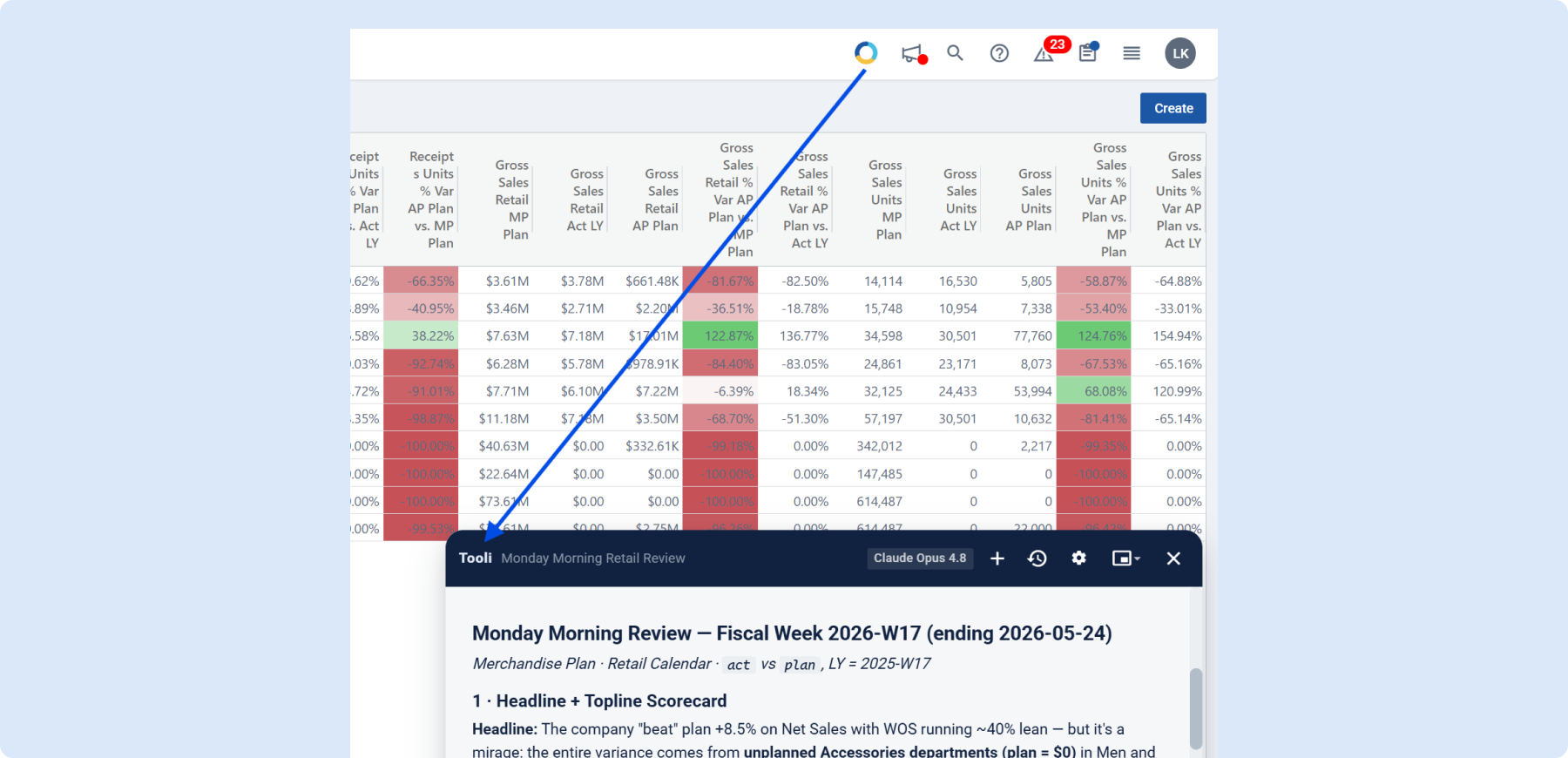
New Feature Training Available: Tooli
A new Tooli training course is now live in Toolio Academy covering how to access Tooli, use one-off questions and repeatable Skills, and understand which modules Tooli can read and write.
👉Head to Toolio Academy to get started
Assortment Planning
Promo Impact for Promotional Causals
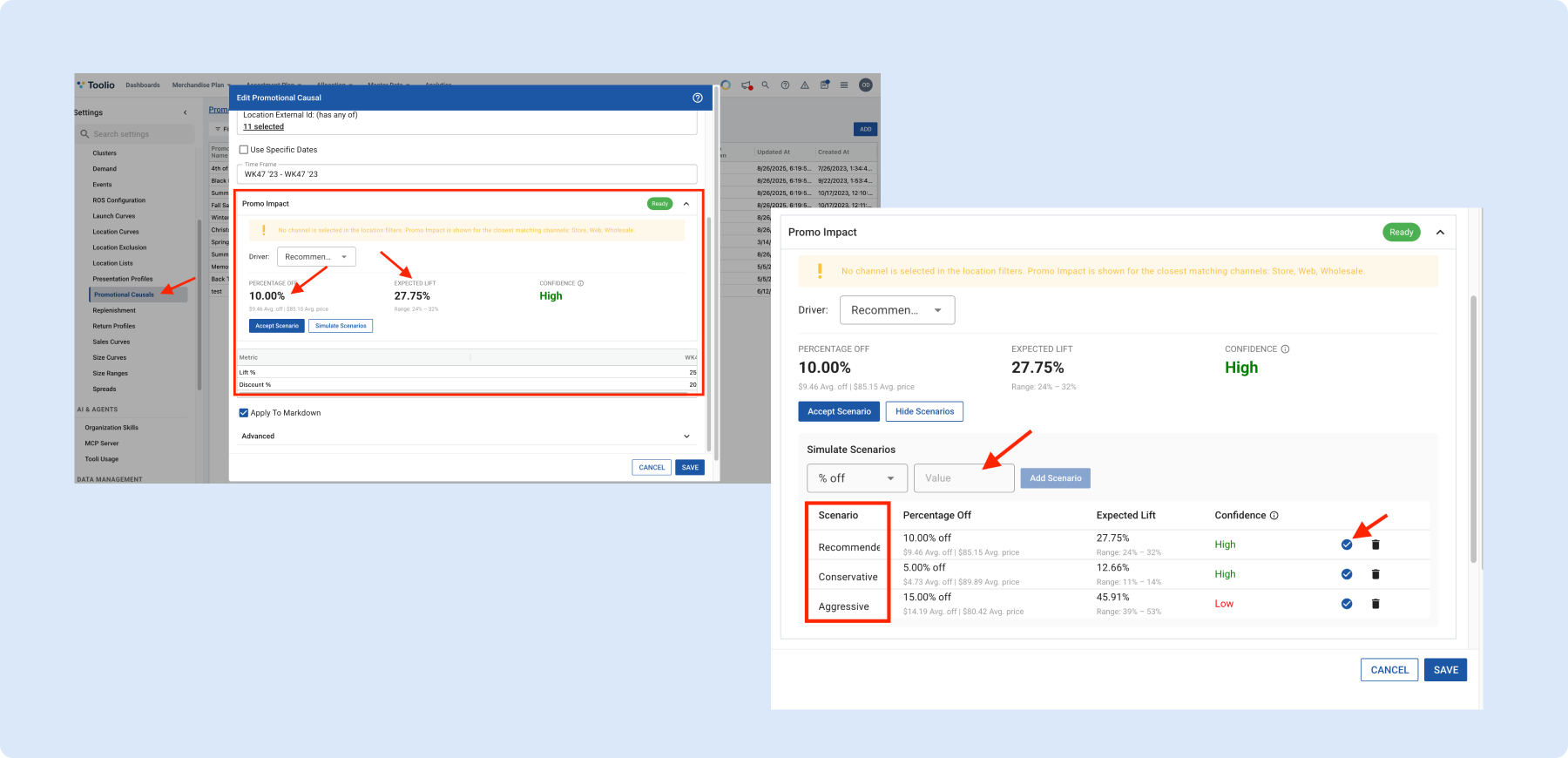
When setting up a Promotional Causal, Toolio now recommends a data-driven discount and expected lift based on historical performance for the selected product, location, and timeframe. Simulate scenarios by entering a discount to see predicted lift, or enter a target lift to back into the right discount. Helps you plan promotions confidently instead of guessing.
Actuals in the Size Plan tab
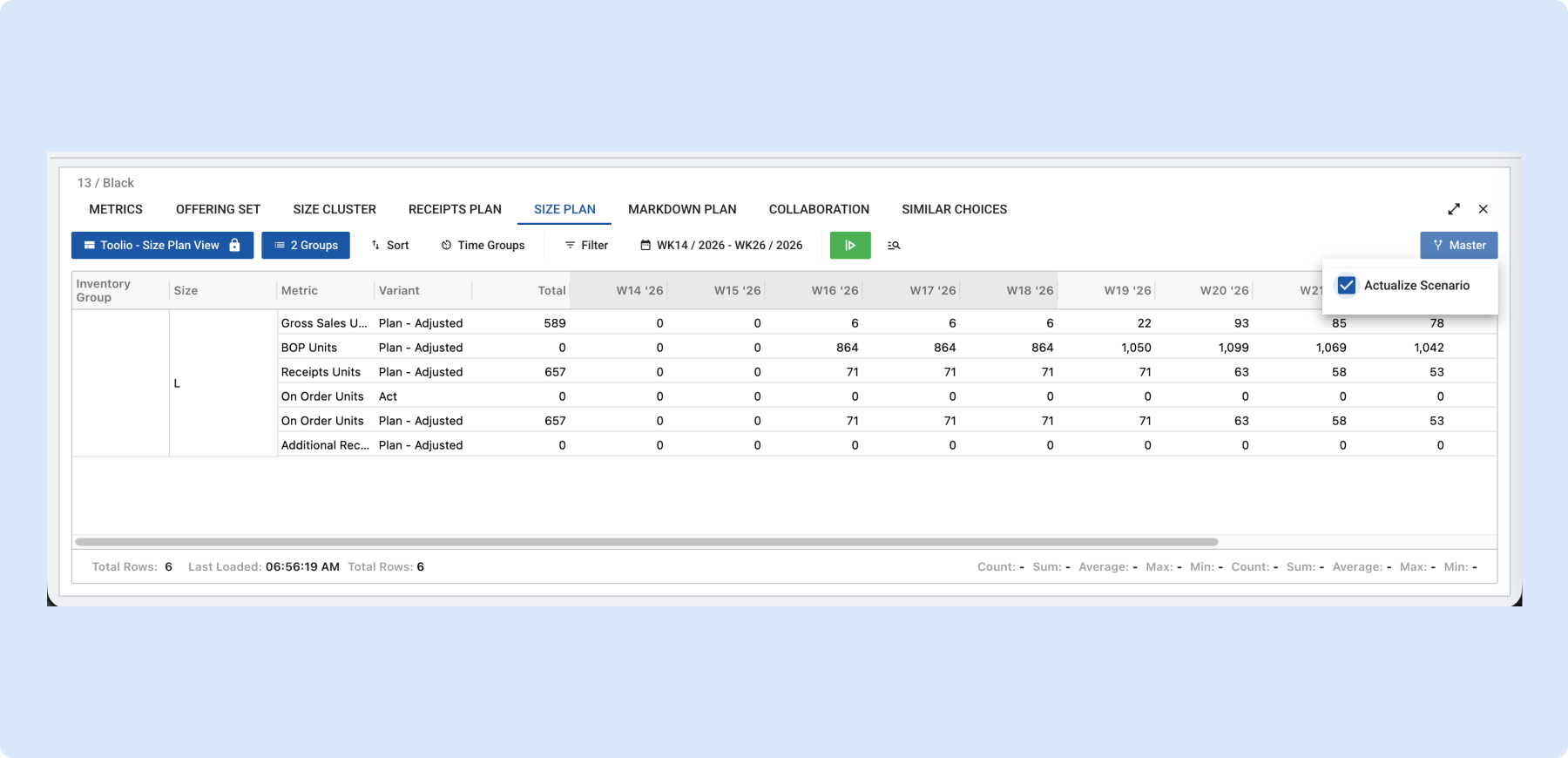
The Size Plan tab now supports Actualize Scenario – the same option already available on the Metrics tab. Turn it on to blend actuals into your plan for elapsed periods, so you can review size-level performance against what really sold without switching views. Brings Size Plan to parity with Metrics and keeps your review in one place.
ROS Model screen now supports multiple time windows
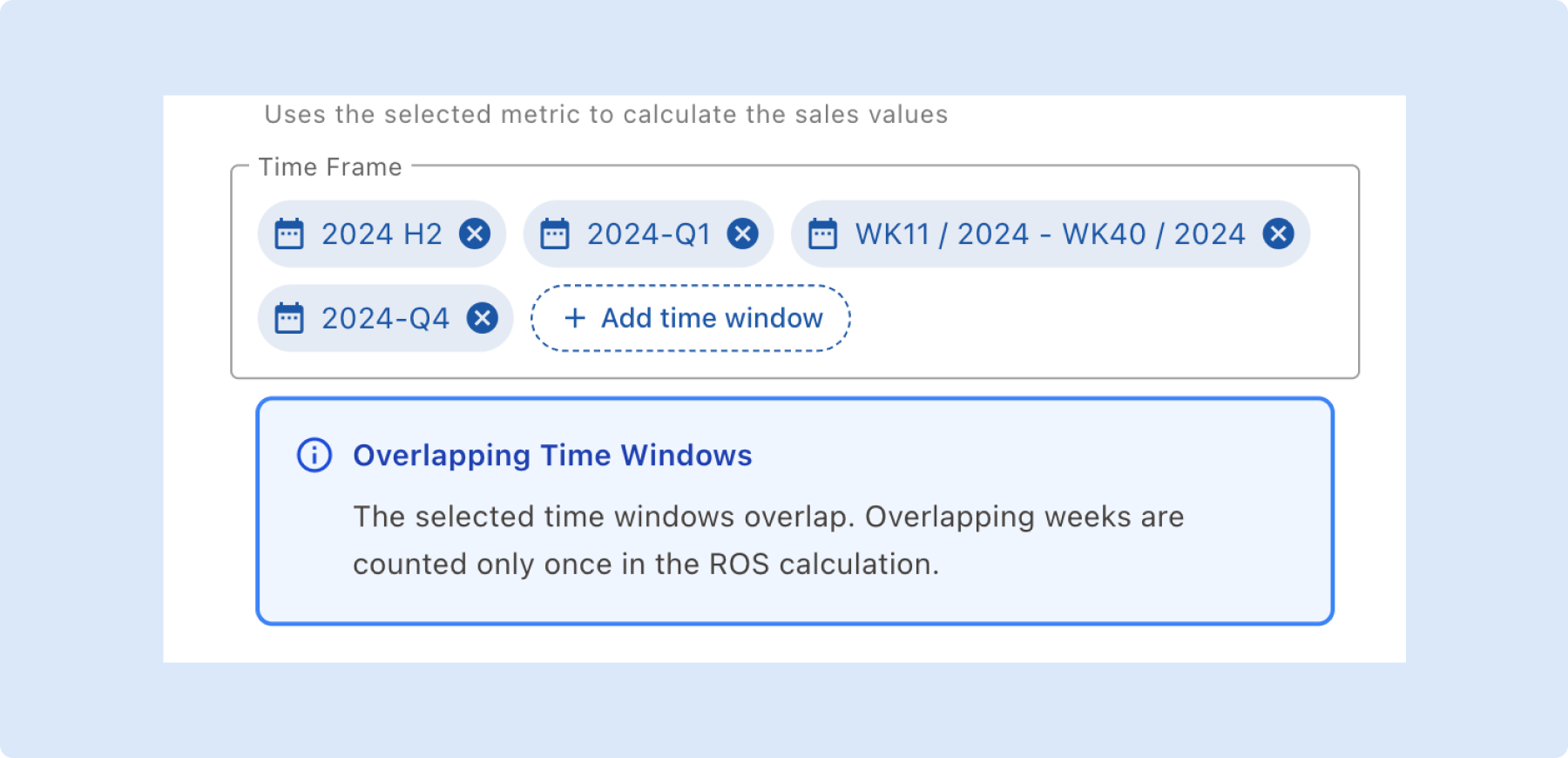
Rate of Sales can now be calculated across multiple nonconsecutive time windows, giving you more flexibility in how you define historical reference periods for a ROS model.
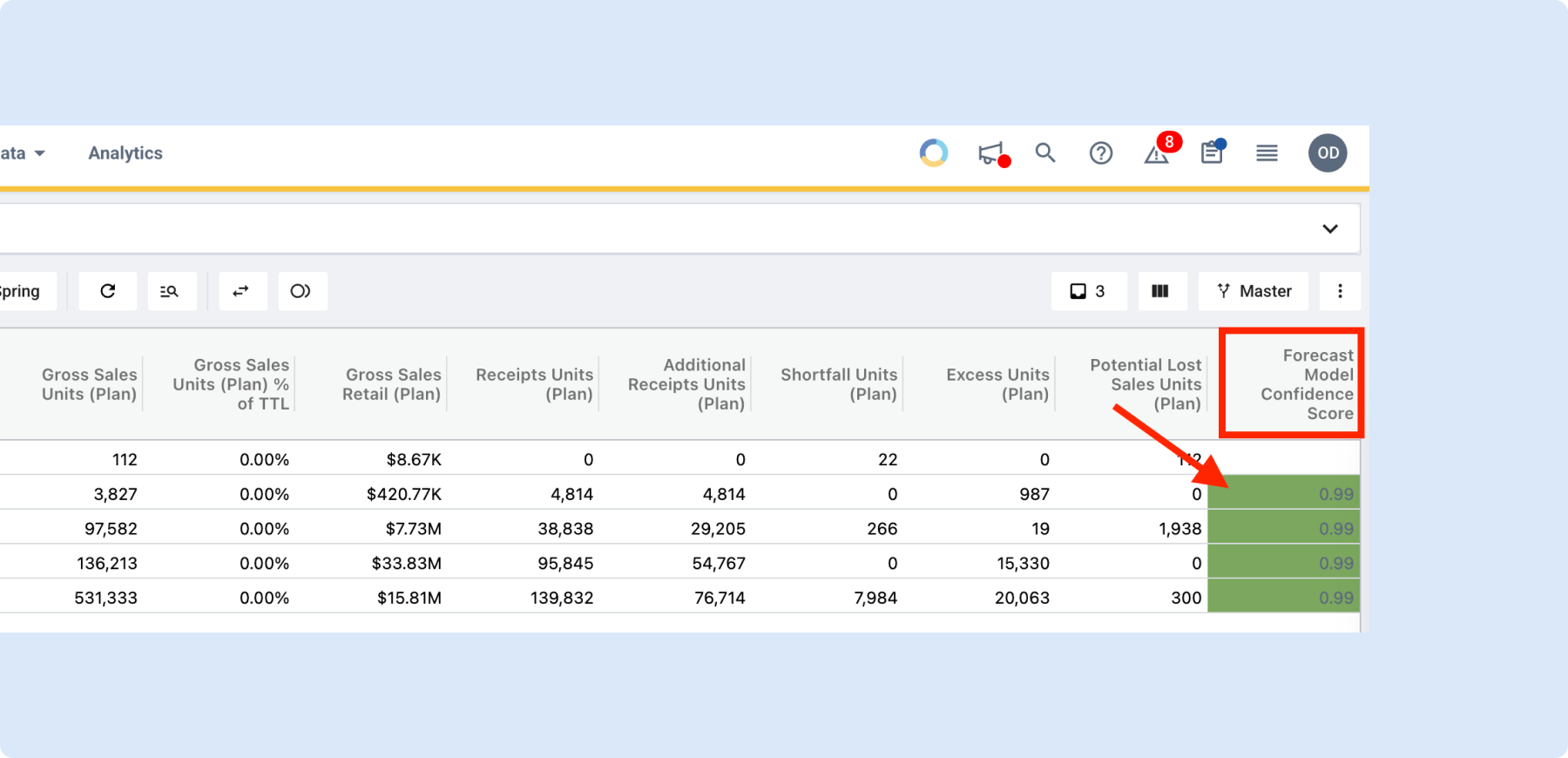
Forecast Confidence Score in Assortment Plan
A Forecast Confidence Score on each choice row in the line plan grid shows which forecast method – Statistical or ML – is performing best for that cluster. Double-click to see a breakdown comparing Confidence Score, Model Accuracy, and Data Quality per method. Helps you pick the right forecast method per cluster – or use Best Confidence to let Toolio decide – before setting buys.
👉Read more on forecast and scoring methodology
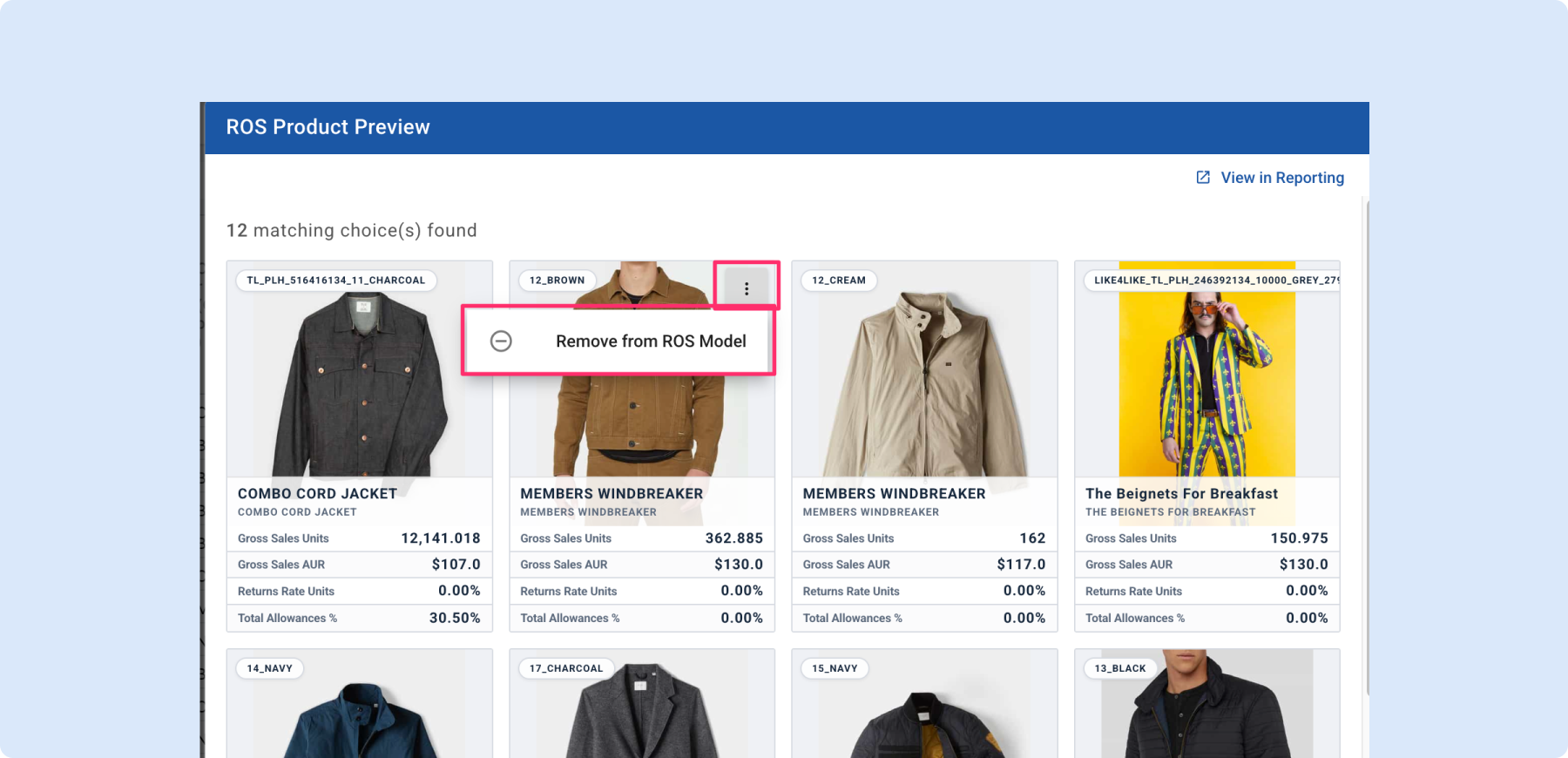
Exclude products from your ROS model in one click
From the ROS Product Preview, hover any product card and choose Remove from ROS Model to drop it from the calculation without leaving the screen. Removed products are automatically added as exclusion filters on the model. Lets you curate exactly which products drive a Rate of Sale calculation.
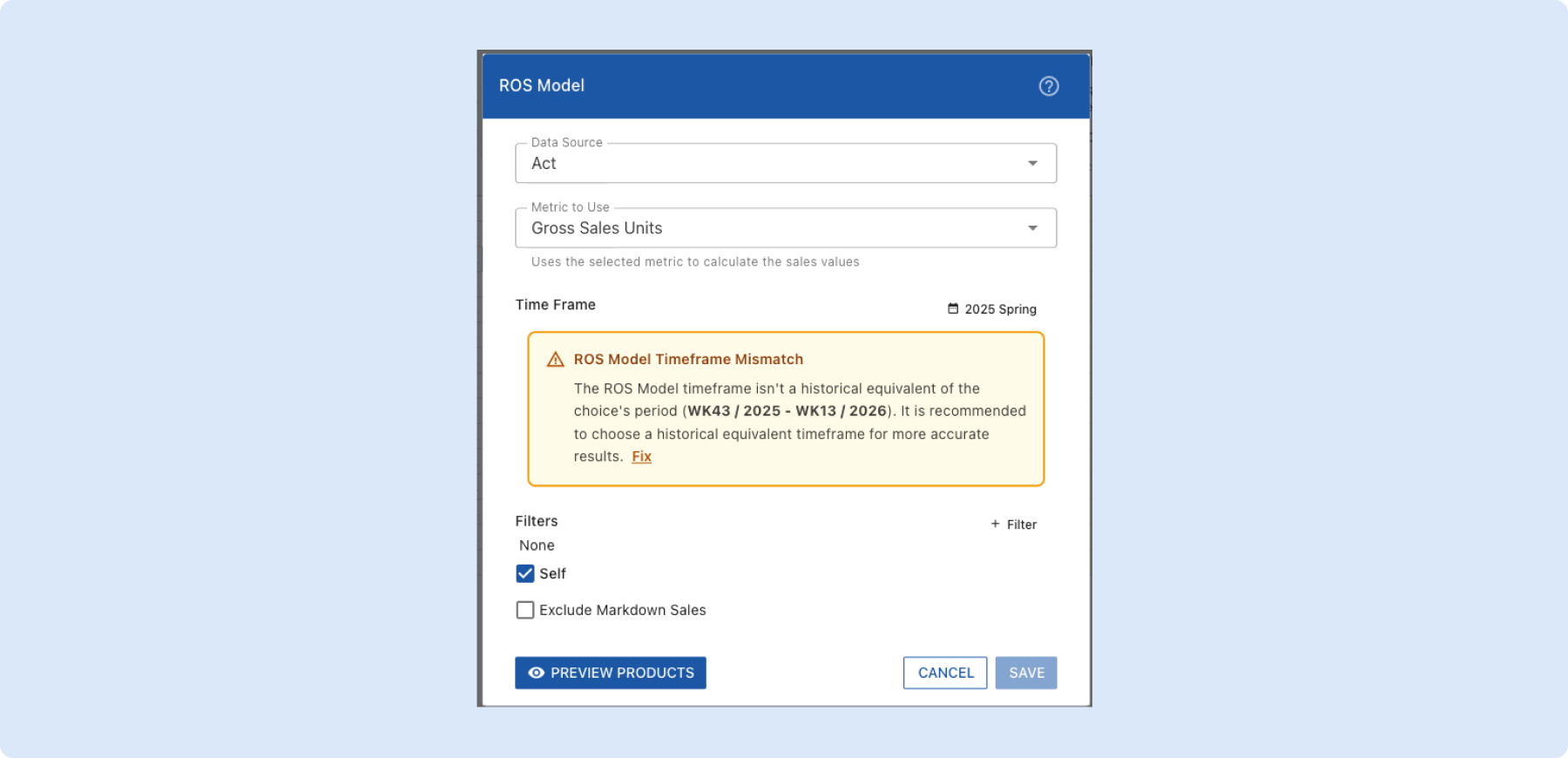
ROS Model timeframe consistency warnings
The ROS Model now warns you when its timeframe doesn’t align with the choice’s selling period, with a one-click Fix to set it to the same period last year. New ROS Models default to the correct timeframe automatically. Prevents quietly skewed demand forecasts caused by referencing the wrong history.
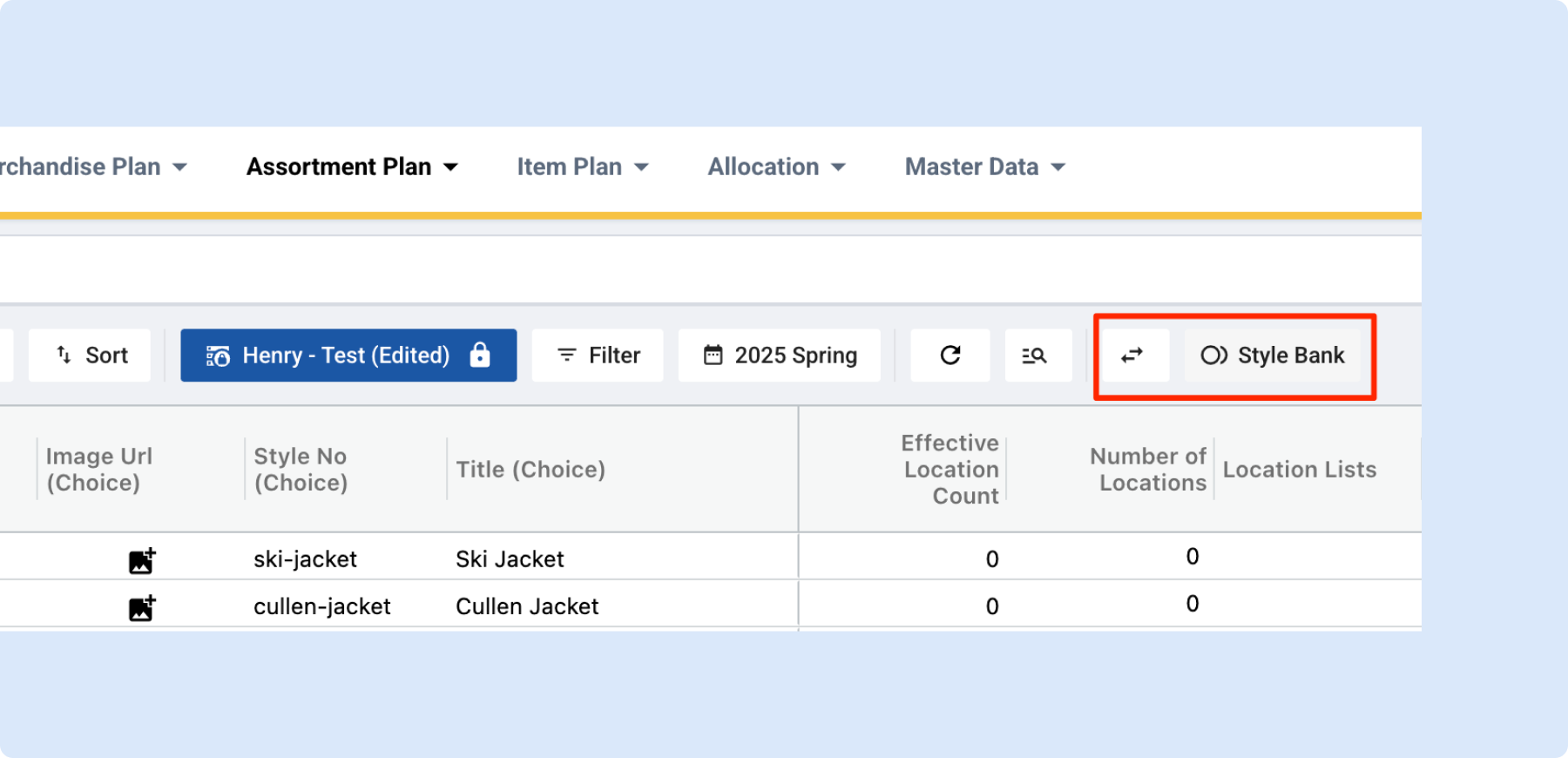
Cleaner toolbar layout in Assortment Plan
The View Selector toolbar in Assortment Plan is now in the same consistent order as all other Toolio modules – Compare on the left, Style Bank on the right. No relearning needed when switching between modules.
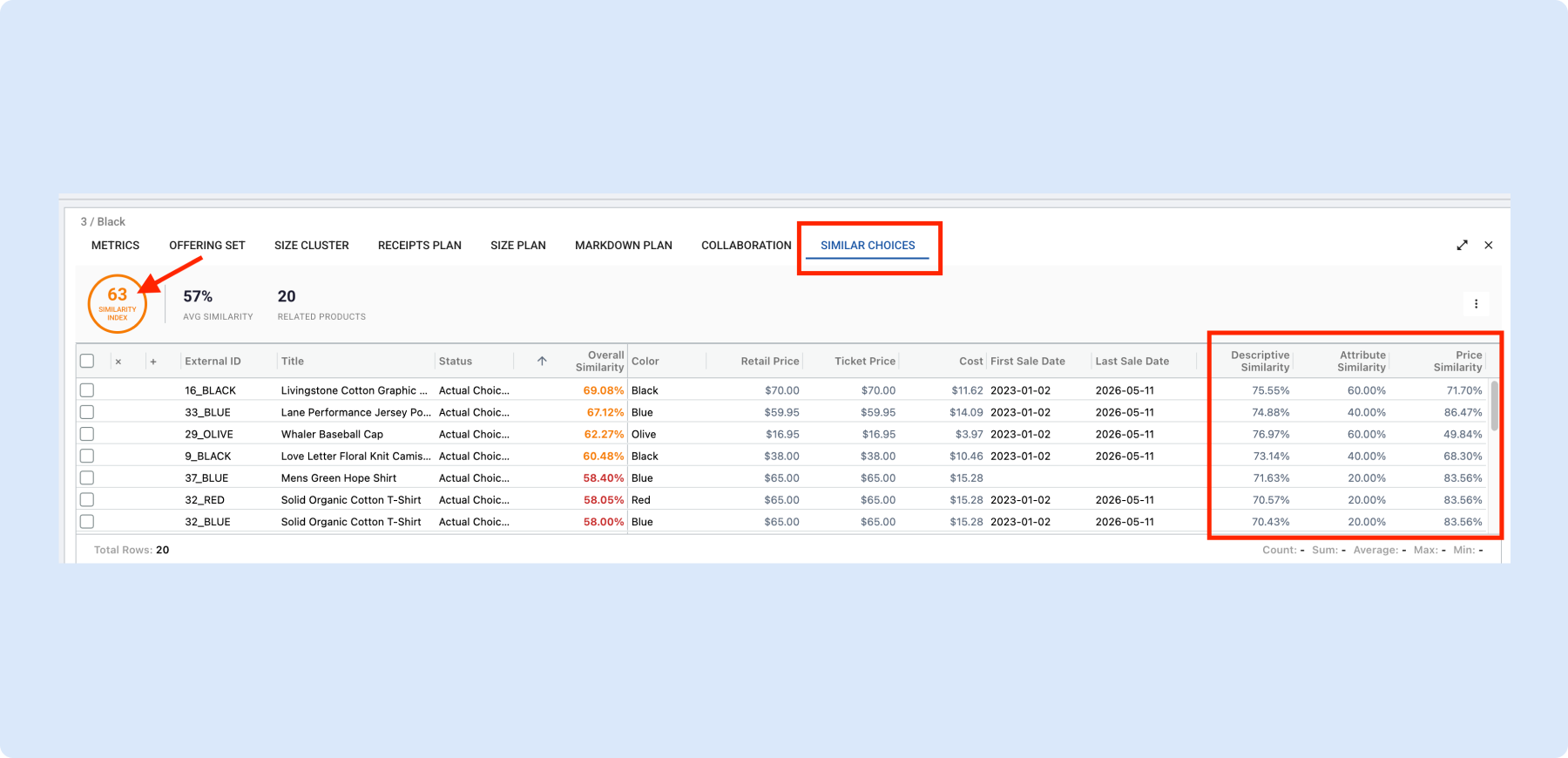
Similar Choices Tab is now live in AP
For any selected choice, explore up to 20 similar products directly in AP via the Similar Choices tab in the Offering Set panel. Similarity is scored across descriptive, attribute, and price signals, so you can quickly benchmark a choice against comparable products in your assortment.
Allocation
Group & aggregate the Recommended Transfer Orders grid
The RTO grid now supports row grouping and per-column aggregation – Sum, Average, Min, Max, or Count – calculated server-side so large sets stay fast. Group by size, color, source, or destination to review transfer volume at the right level of detail without slow local pivots.
👉Learn more about recommended transfer orders
Recommended Transfer Order Summary Widgets
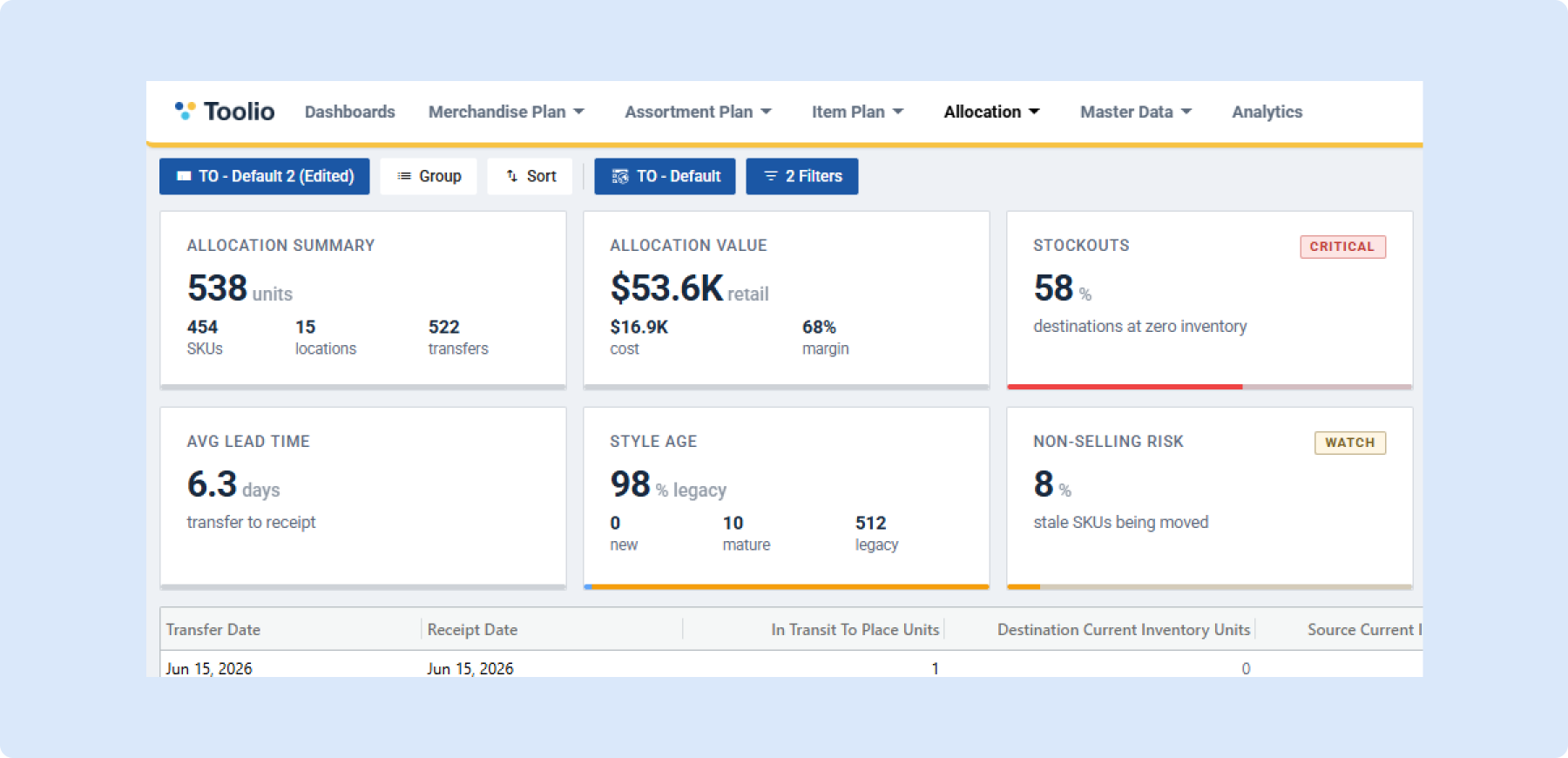
Add summary widgets above the RTO grid to see your active result set at a glance – total units, SKU count, location count, stockouts, and over-max pressure – without scanning individual rows. Widgets are saved with your View so your dashboard stays configured the way you want.
Faster Allocation Plan loading with lazy loading
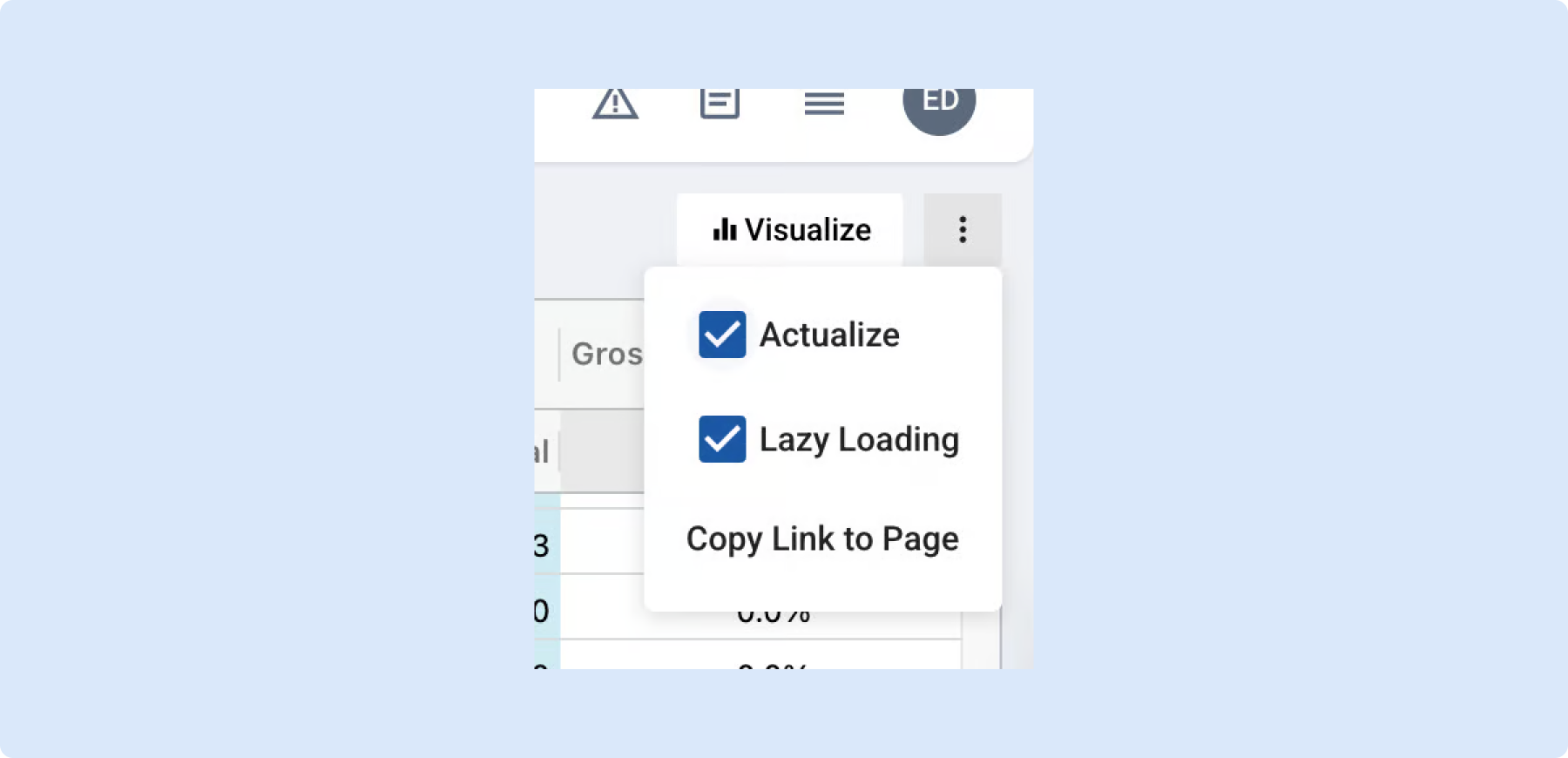
The Allocation Plan grid now uses lazy loading – only top-level groups load upfront, and rows beneath each group fetch on demand as you expand them. Large plans open much faster, and re-expanding a group is instant. Toggle it on or off from the menu anytime.
👉Read more on allocation plan performance
Minimum Presentation by Choice in Allocation
Allocation Strategies now support a Minimum Presentation unit floor per choice, ensuring every store receives at least that many units of a style even when size-level minimums can’t be met. Override by location in Allocation Strategy Overrides, and set org-wide defaults in Allocation Defaults.
Allocation Strategy Export
Export active allocation strategy data – style-colors and their store-level allocation choices – directly to S3 or SFTP on demand, separate from your RTO feed. Lets you answer “what is allocated where?” across your full active assortment for downstream reporting.
Group & Summarize Transfer Orders in Single Page Mode
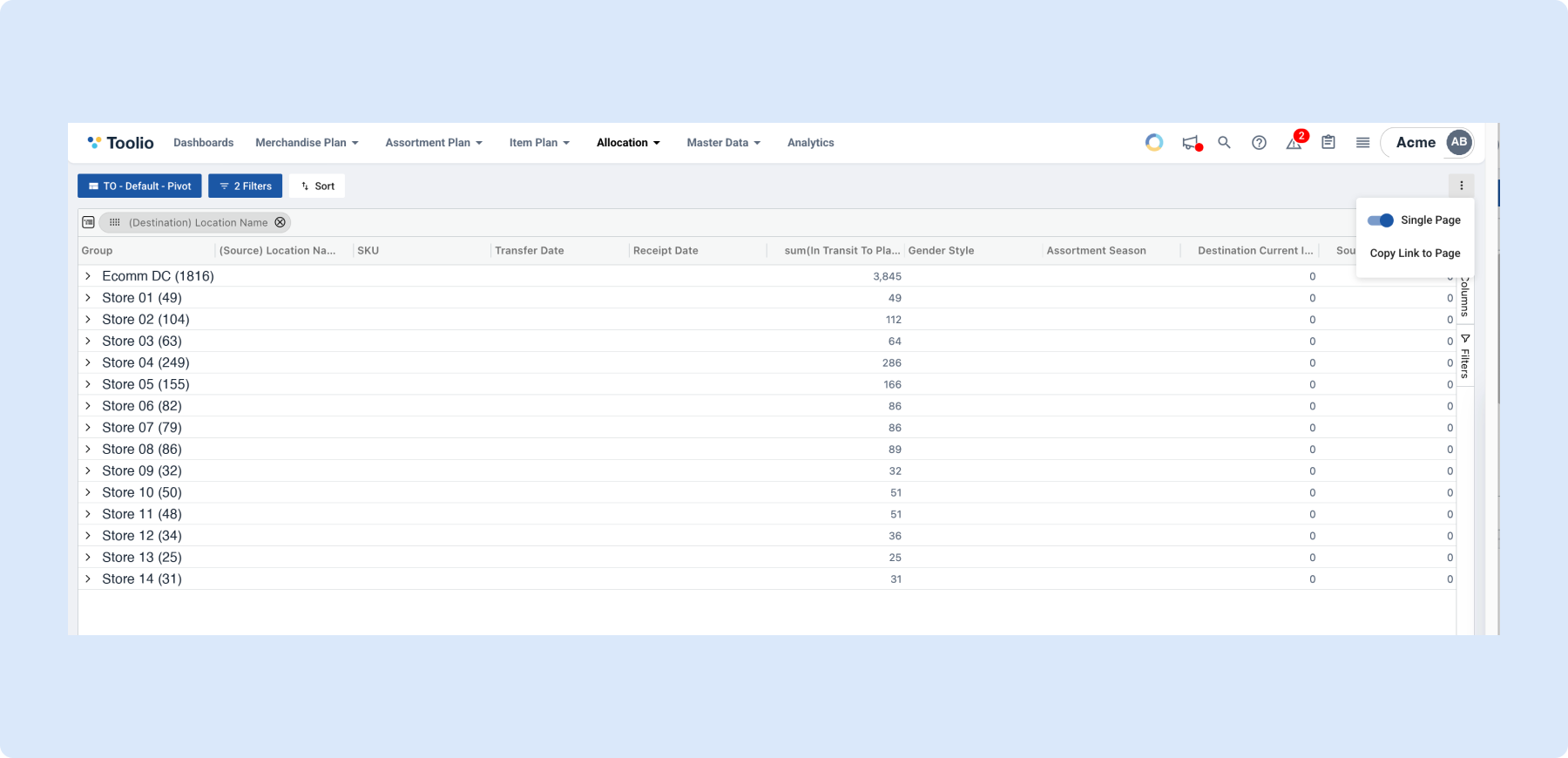
Single Page mode for RTOs is now a clean on/off toggle in the 3-dot menu, and adds support for summarizing date columns with min/max and counting distinct values. Slice and pivot your transfer orders like a spreadsheet without leaving the grid.
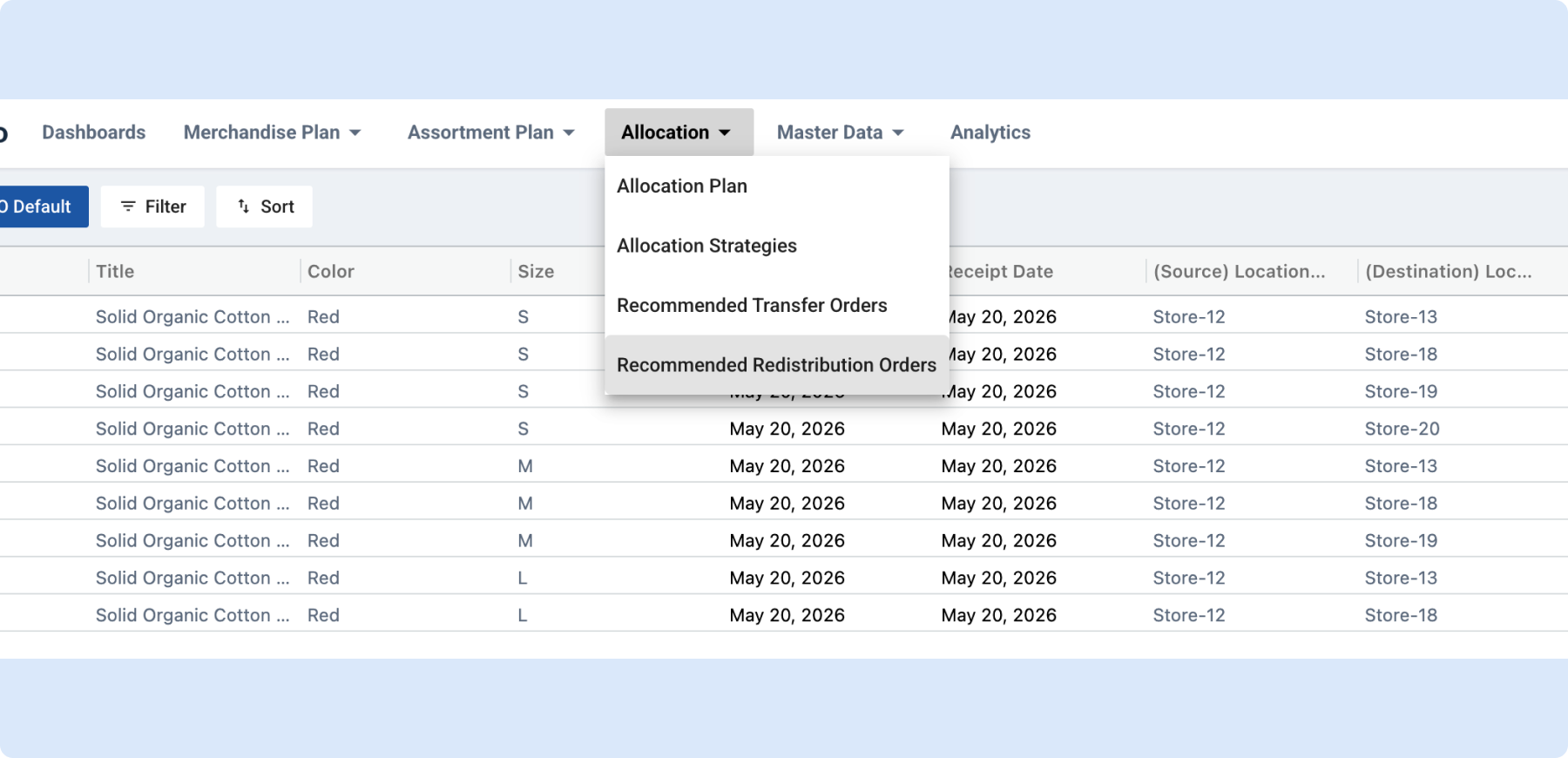
Recommended Redistribution Orders
Toolio can now recommend inter-location transfers – pulling excess from overstocked stores and sending it to understocked ones at the SKU level. Set up redistribution groups in Settings, then review, adjust, and export approved suggestions to your ERP. Reduces excess inventory and prevents stockouts without manual analysis.
👉 Read more about redistribution orders
General Platform Updates
The new Tooli & Skills: planning Agents for your team
The new Tooli is a persistent AI planning assistant – no longer a disappearing sidebar – paired with Skills, multi-step planning Agents that run end-to-end workflows against your live plan. Three Skills ship today and can execute recommendations (including allocation moves) ready for your approval.
👉 Read more about the new Tooli here
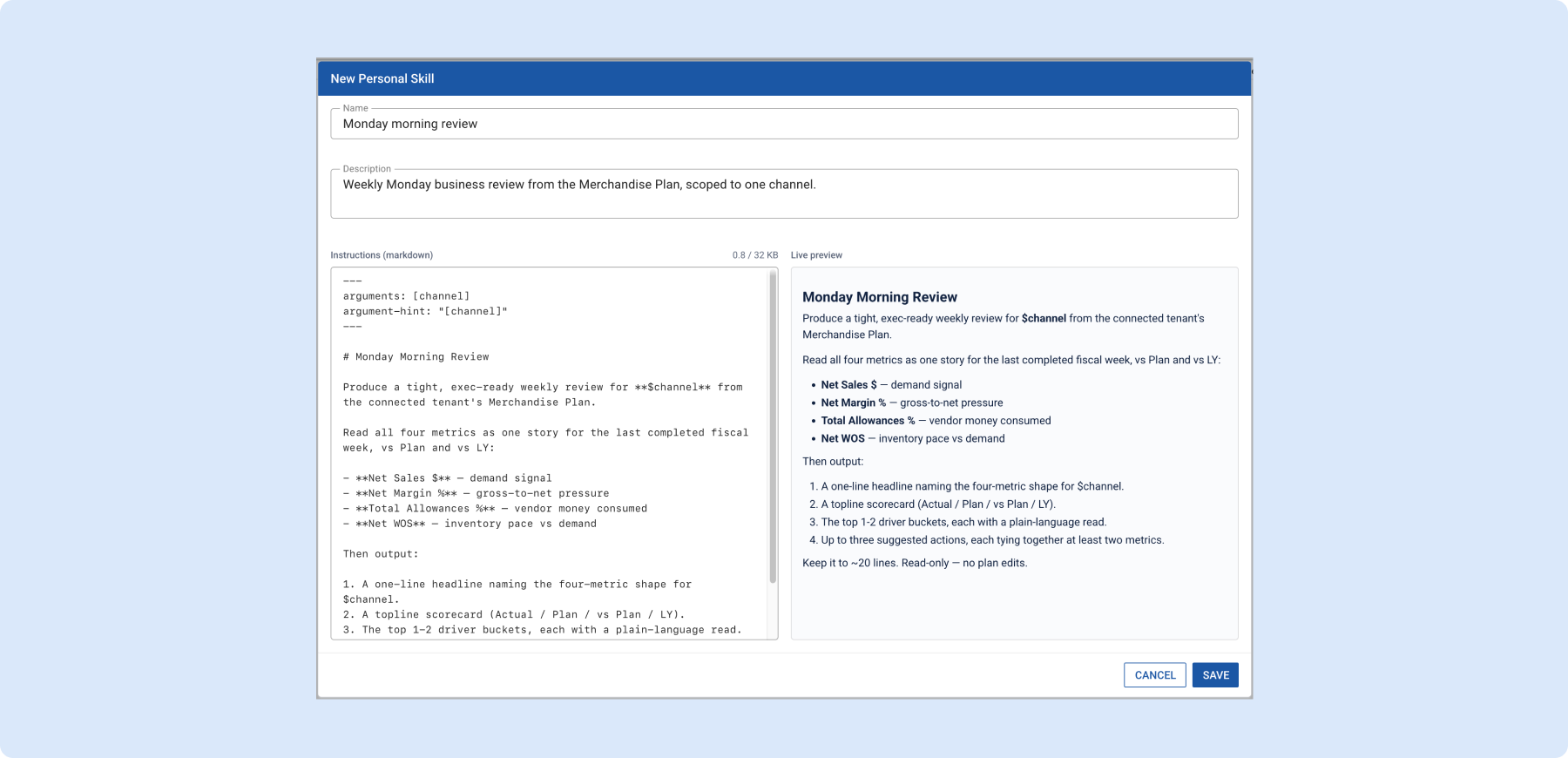
Tooli Skill Arguments
Skills now accept named arguments so you can pass parameters like region or season when running a skill. Slash autocomplete shows the argument hint inline as you type, and arguments are configured in the skill editor alongside triggers. Makes Skills more reusable across different planning contexts.
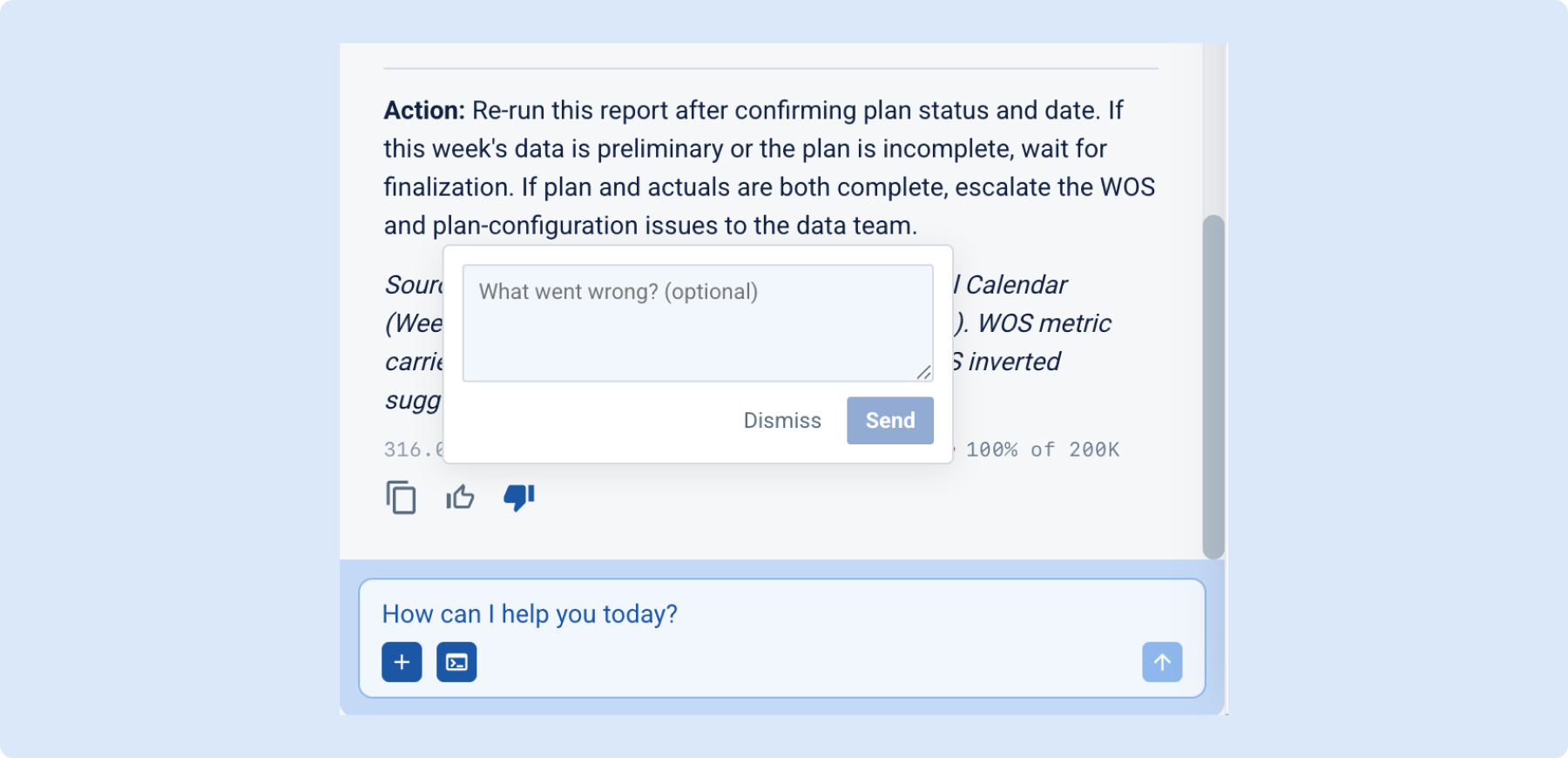
Rate Tooli’s Responses
A thumbs up/down now appears below each Tooli response, with an optional comment field when you rate something down. Feedback helps improve Tooli’s quality over time, and you can change your rating anytime.
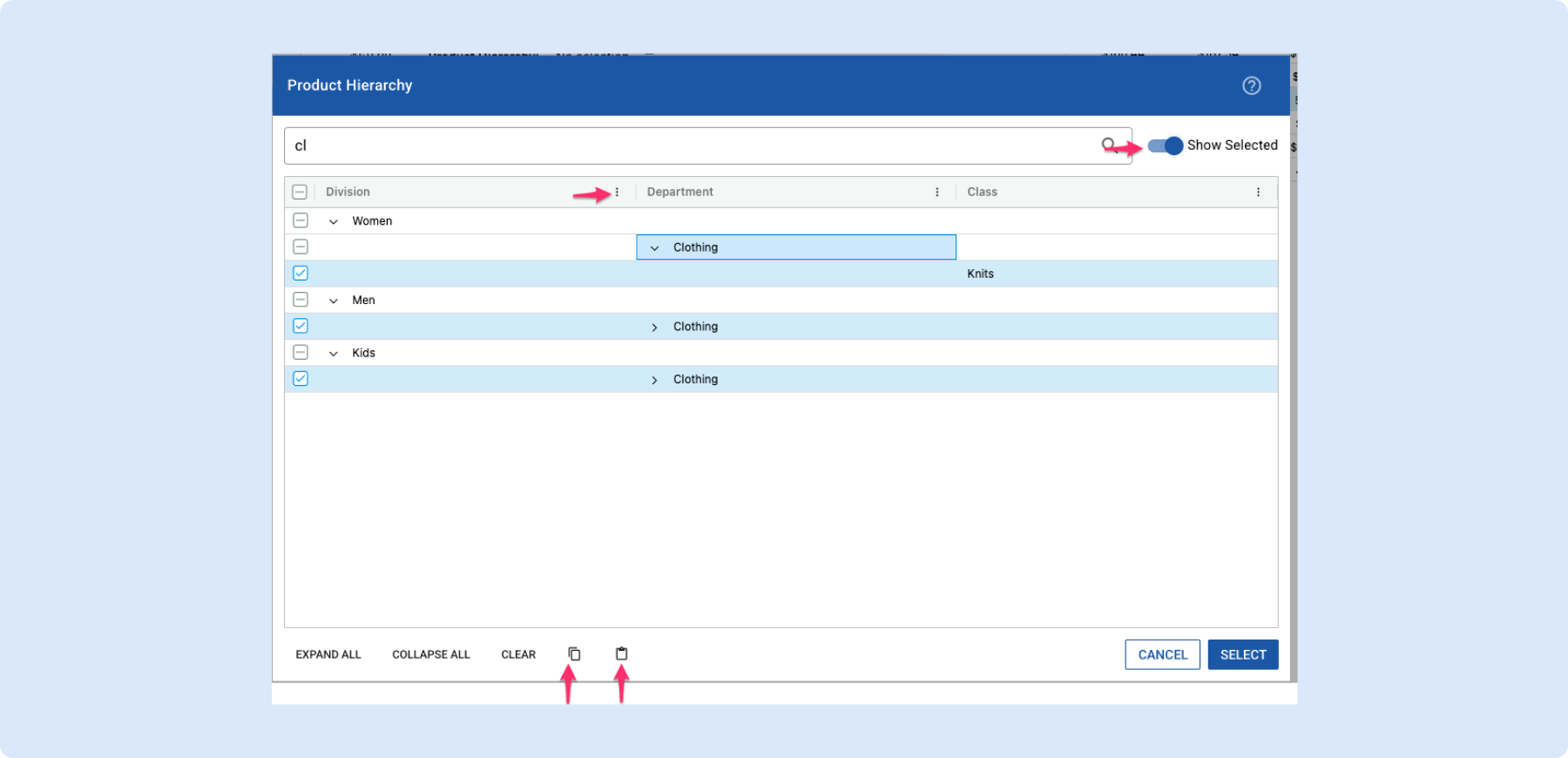
Copy, Paste & More in the Product Hierarchy Selector
The product hierarchy selector now supports copy & paste – carry a selection from one filterset to another instead of rebuilding it by hand. Pasting a higher-level node like a department recreates all its children automatically. Several additional usability upgrades make hierarchy navigation faster overall.
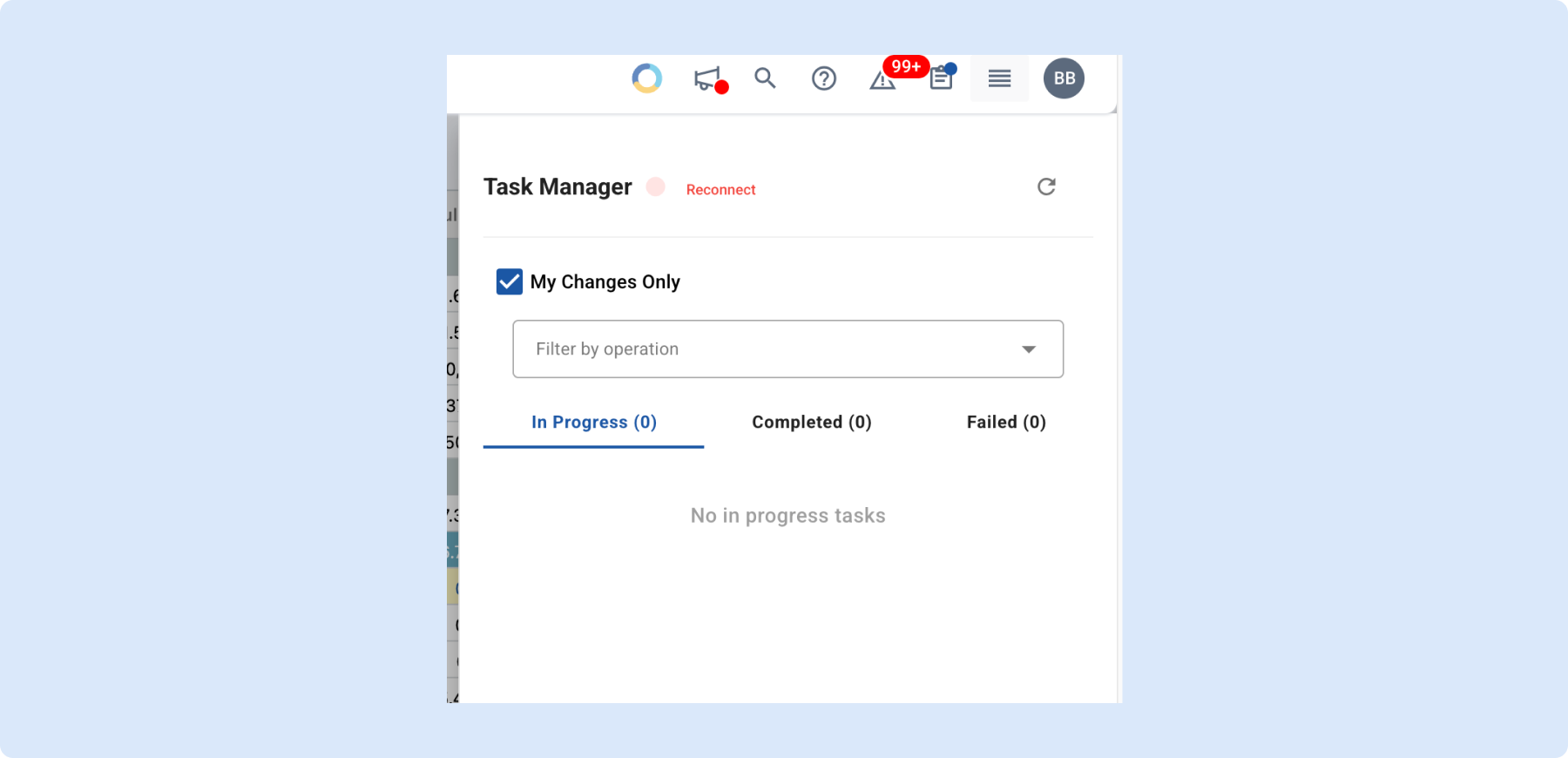
Stay connected to Task Manager with one click
When your background task notification connection drops, a disconnect indicator now appears in the Task panel along with a Reconnect button – no page refresh needed. Connection status updates automatically once restored.
Read & Write Data Scope Accesses
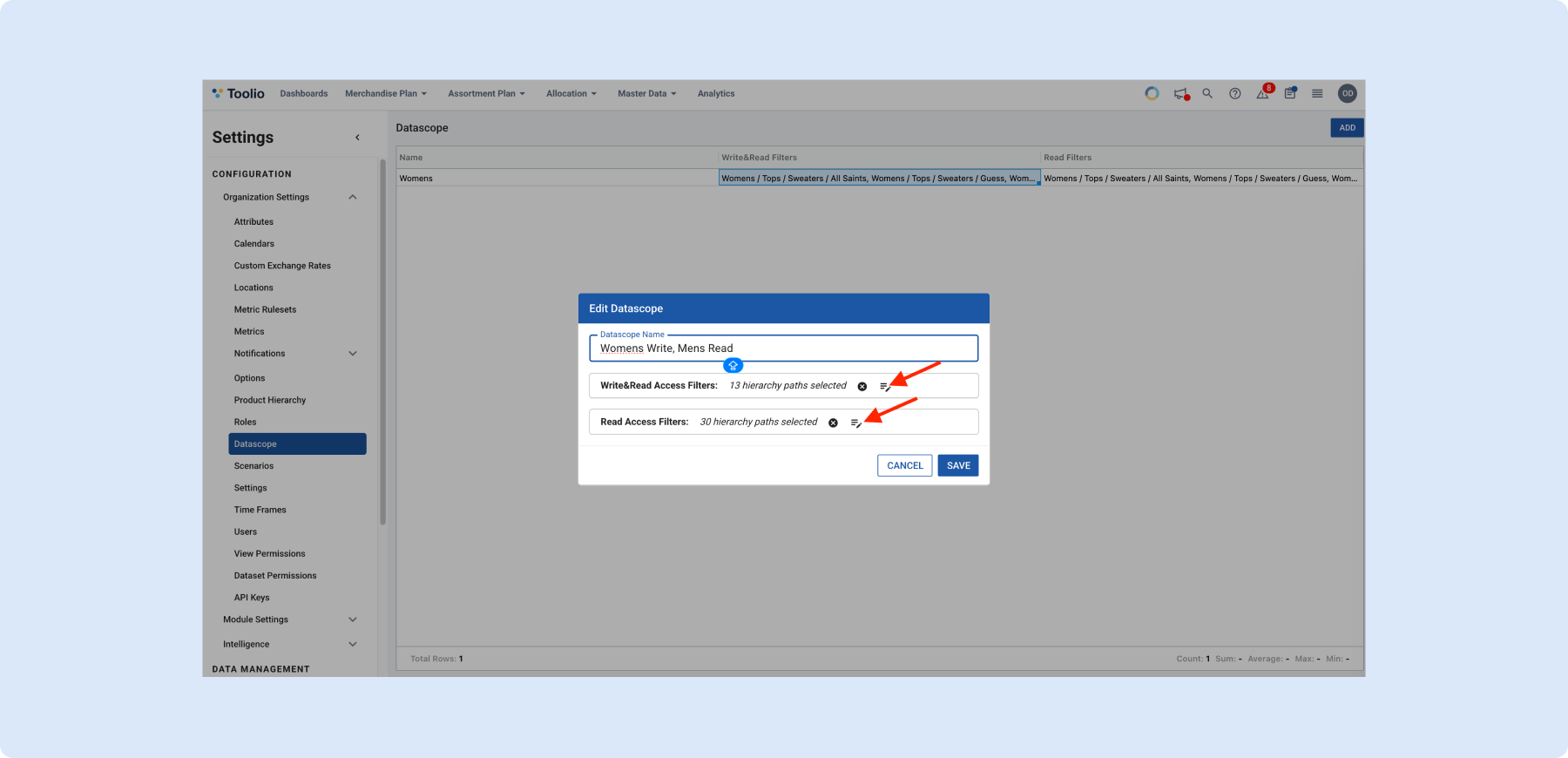
Data Scopes now support two access types per hierarchy node: Read & Write (view and edit) and Read (view only). Mix access types across the same scope – full edit on a primary division and view-only on adjacent ones. Gives planners the visibility they need without granting unnecessary edit access.
Need Help? We're Here for You!
Our support team is always ready to assist you. If you have any questions about these updates or need help getting started with new features, don’t hesitate to reach out!
Is there a feature you think would be a great addition? Let us know here!


